
Discover Luxpred in action
Learn how to use artificial intelligence to optimize your inventory management. Configuration, training and predictions in just a few clicks.
Discover Luxpred in video
A complete demonstration in just a few minutes
Configure your business settings
Customize the AI according to your business. Define your stock thresholds, your order frequency and the prediction horizon for tailored recommendations.
Business type
Retailer, wholesaler, e-commerce... The AI adapts to your industry.
Alert thresholds
Critical and minimum stock in days for personalized alerts.
Prediction horizon
Define how many days ahead you want to predict your needs.
Automatic alerts
Enable notifications for products with imminent stockouts.
Weather data
The AI cross-references your sales with local weather forecasts to anticipate demand peaks.
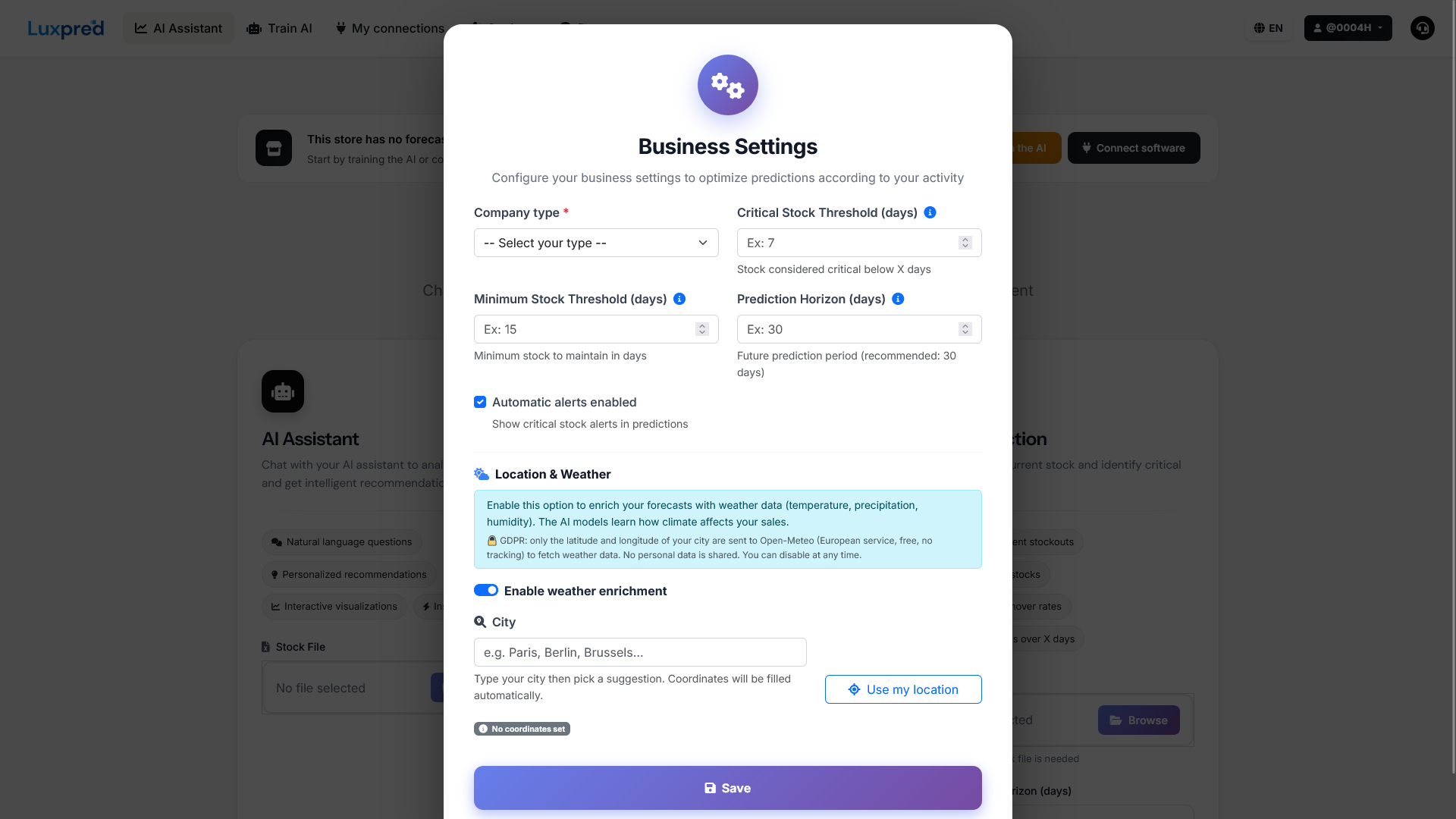
Initial configuration
Setup assistant for new users
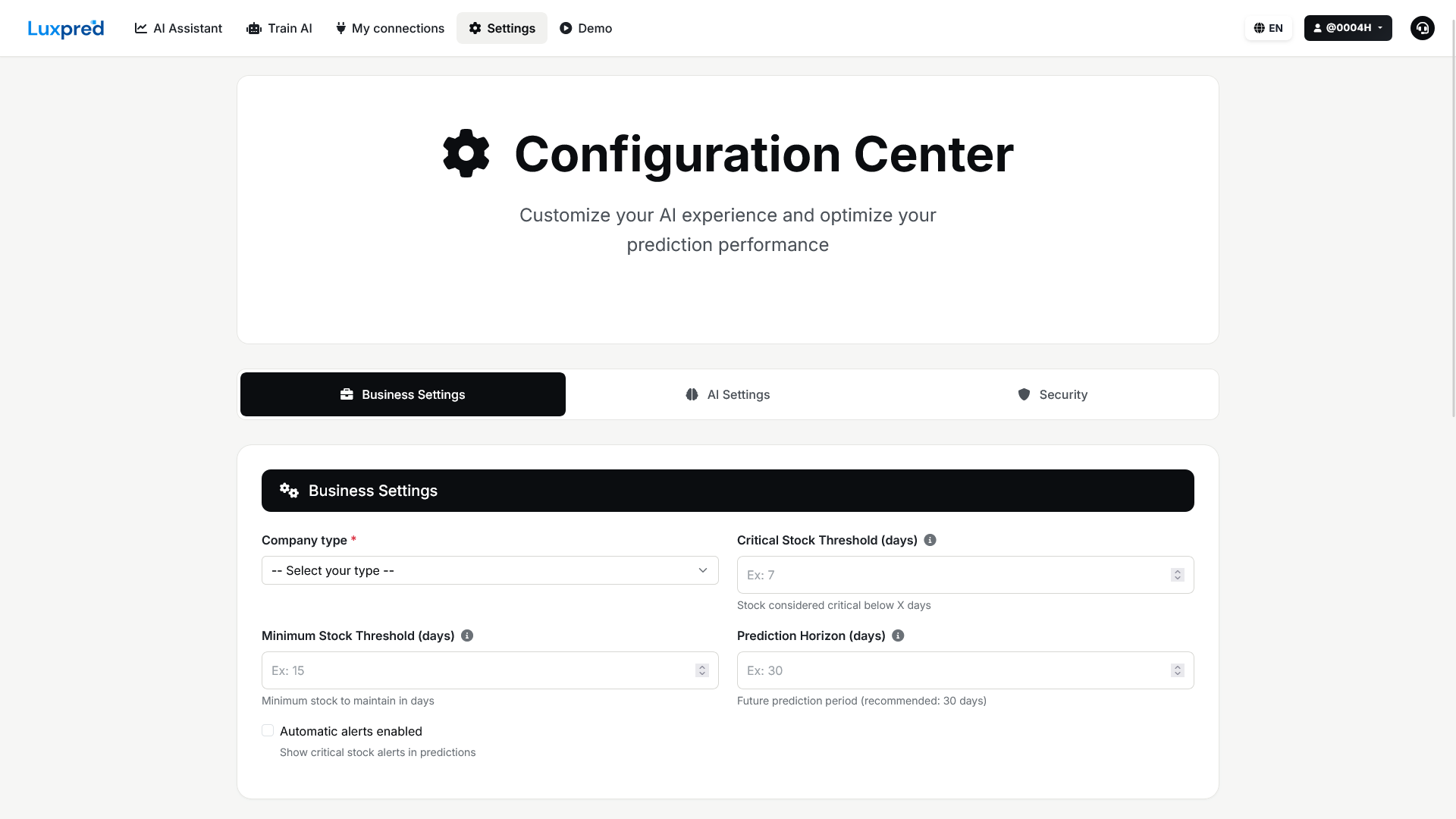
Business settings
Complete configuration: thresholds, frequency, horizon, alerts AND local weather data for even more accurate forecasts
Train your AI
Import your sales Excel file OR directly connect your POS / e-commerce software. The AI learns from your history for increasingly accurate predictions.
Sales file
Your sales history with dates, references, quantities and prices. The AI automatically detects the columns.
POS / e-commerce connection
Automatically sync your sales from Shopify, WooCommerce, Square, Lightspeed, Hiboutik, SumUp, PrestaShop... No manual upload required.
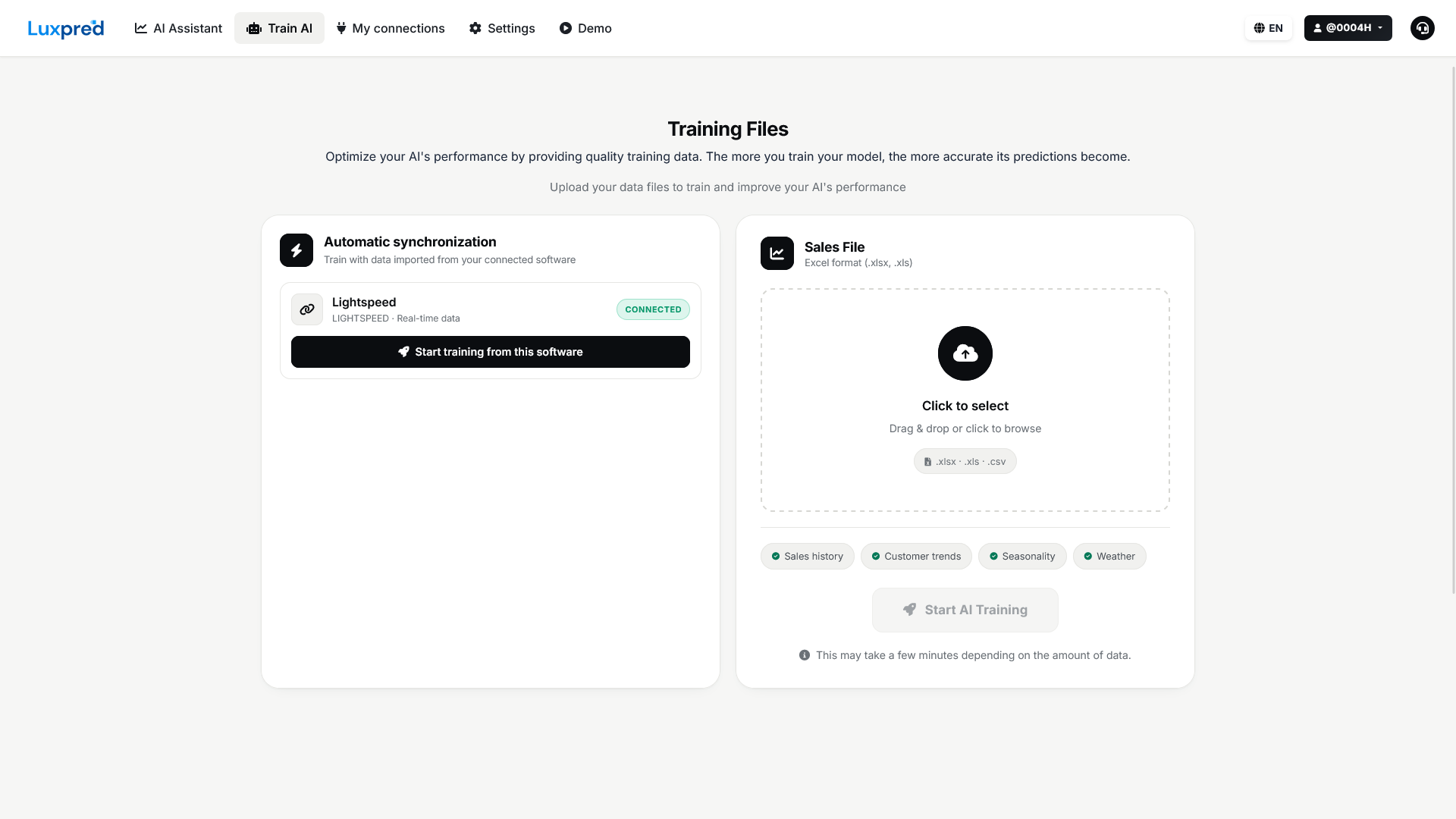
Training files
Import your Excel files OR connect your POS software in a few clicks to train the AI
Get your AI predictions
Three analysis modes to meet all your needs: interactive chat, quick analysis or complete prediction.
AI Assistant - Interactive chat
Ask your questions in natural language and get instant answers
Example questions
- "What items should I order?"
- "Analyze stockout risks"
- "How is my overall stock doing?"
- "Explain REF001 to me"
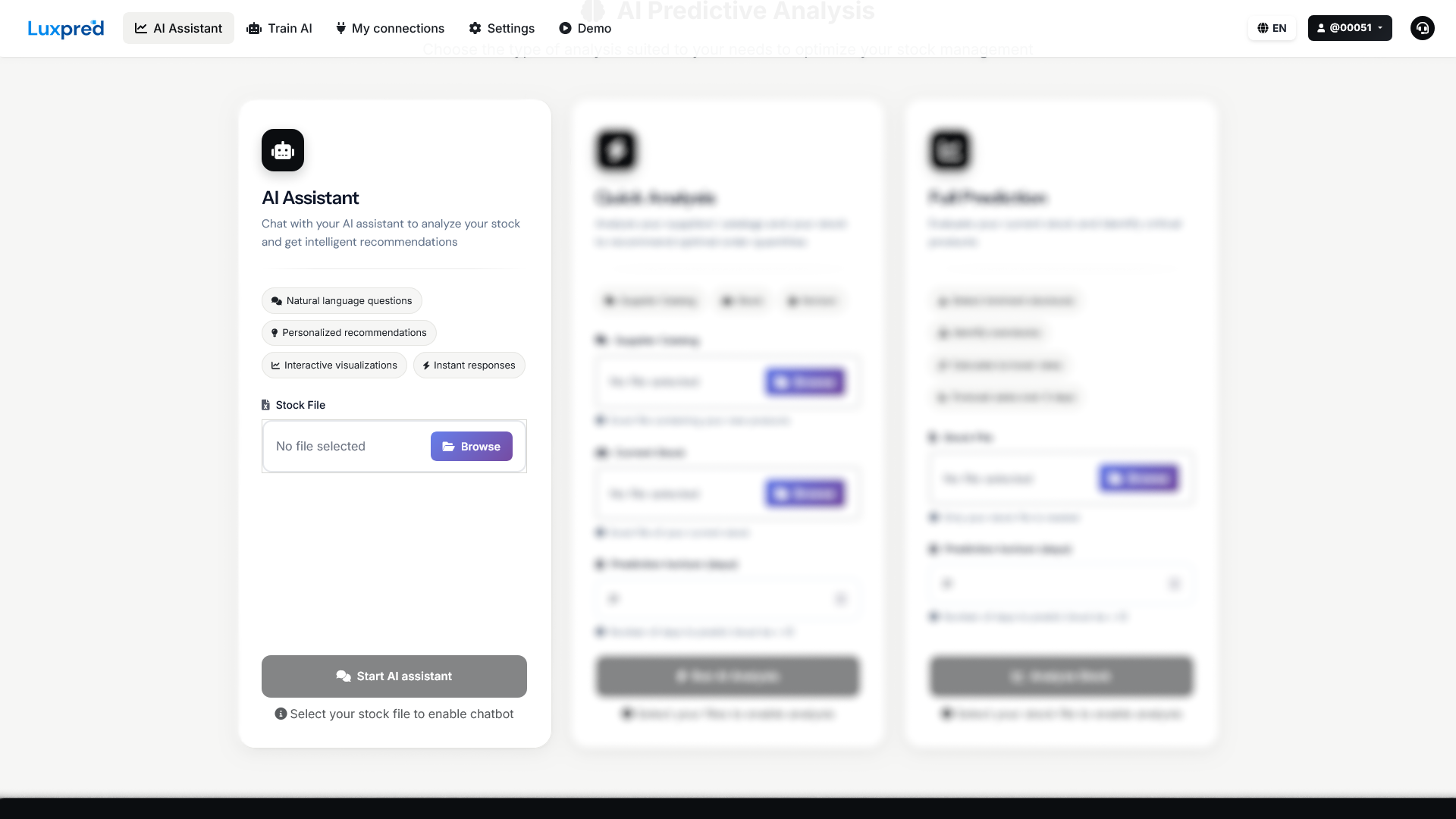
Launch AI Assistant
Select your stock file and start the conversation
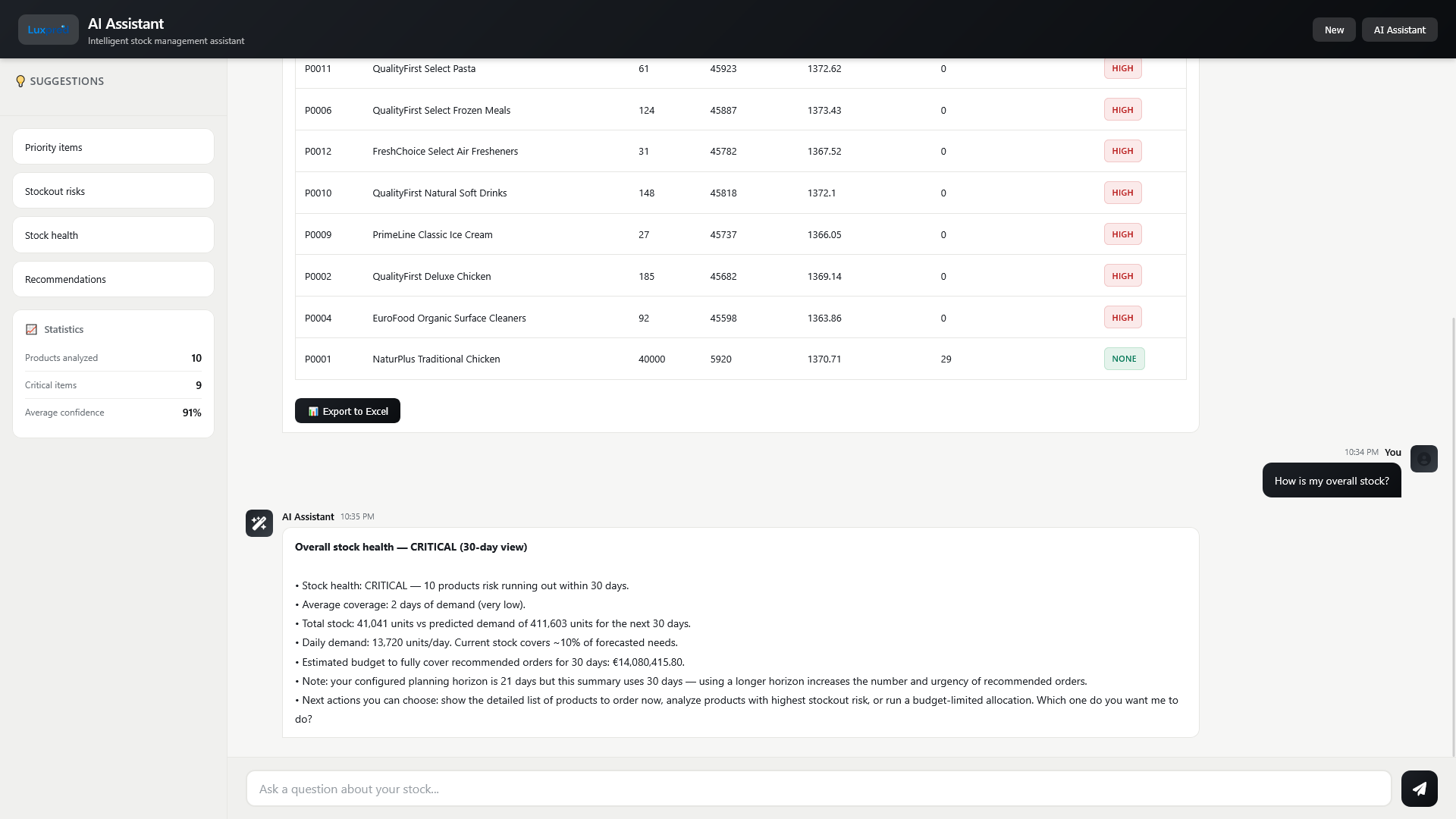
Real-time conversation
The AI analyzes your stock and answers your questions
Quick Analysis
Analyze your supplier catalogs and stock for personalized recommendations
This analysis allows you to
- Analyze new supplier catalogs
- Evaluate your current stock
- Predict future demand
- Get quantities to order
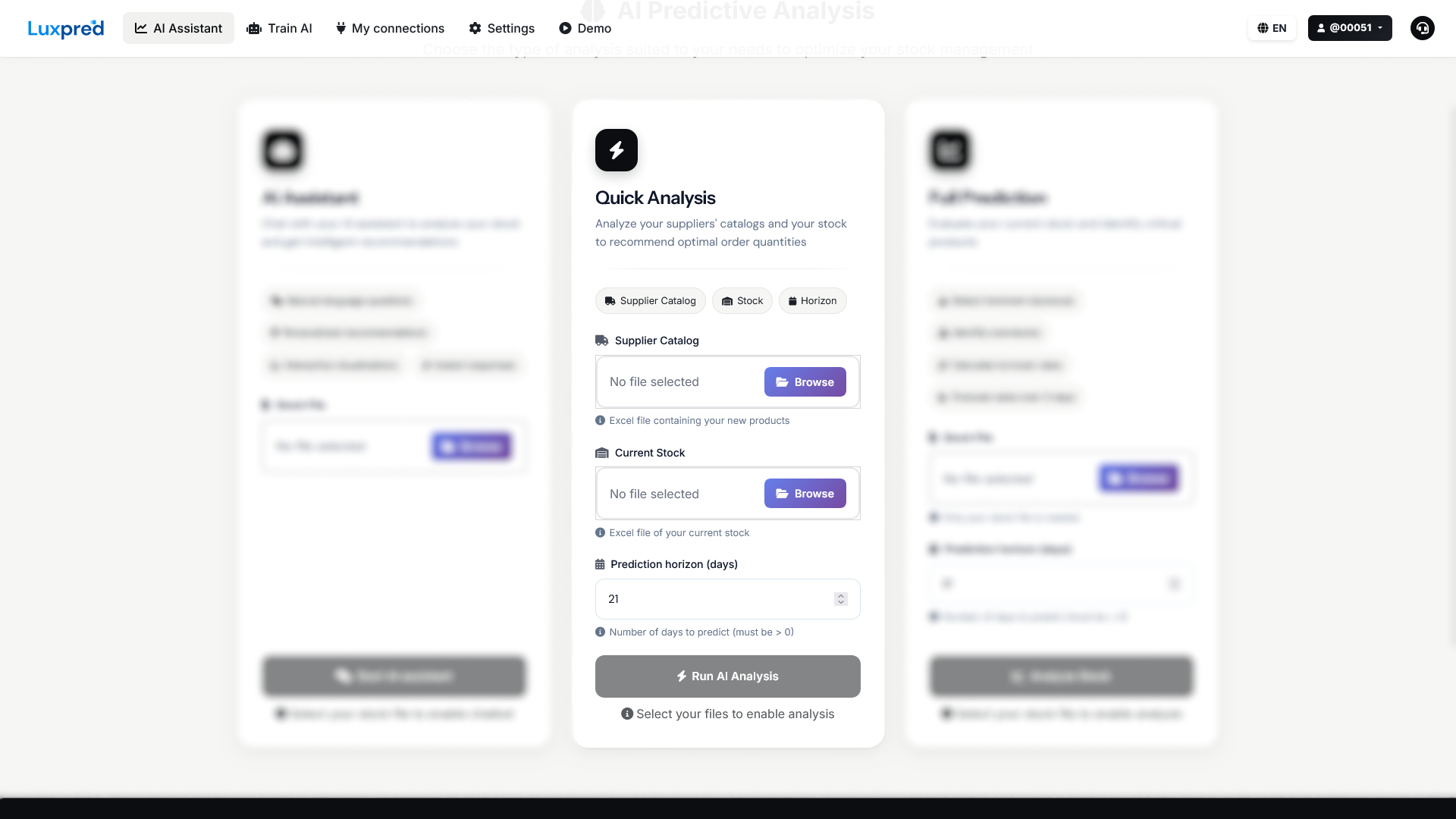
Launch Quick Analysis
Import your supplier catalog and stock files
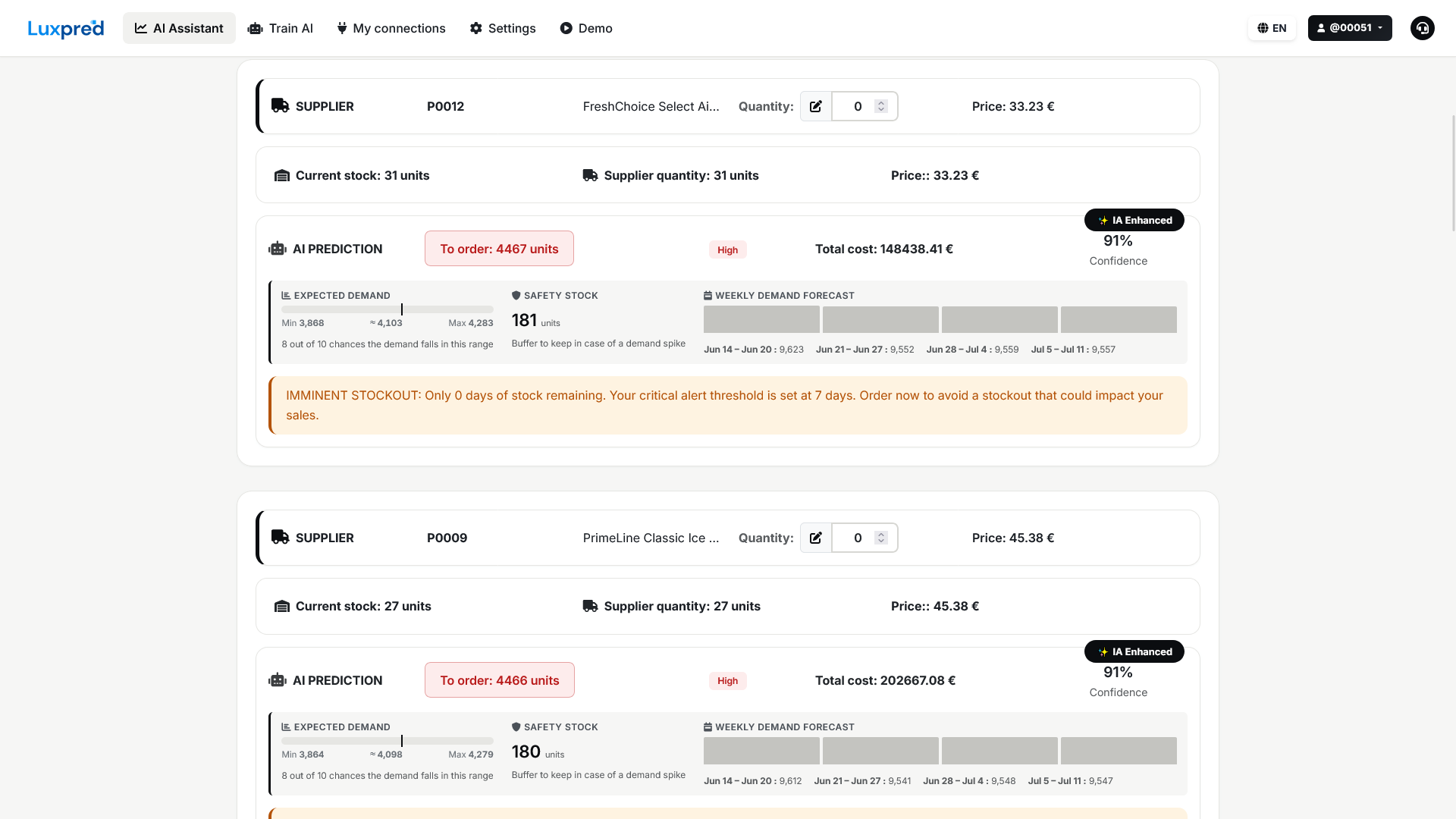
Detailed results
AI predictions with imminent stockout alerts
Complete Prediction
Evaluate your current stock and identify critical products
This analysis allows you to
- Detect imminent stockouts
- Identify overstocks
- Calculate turnover rates
- Forecast sales for 30 days
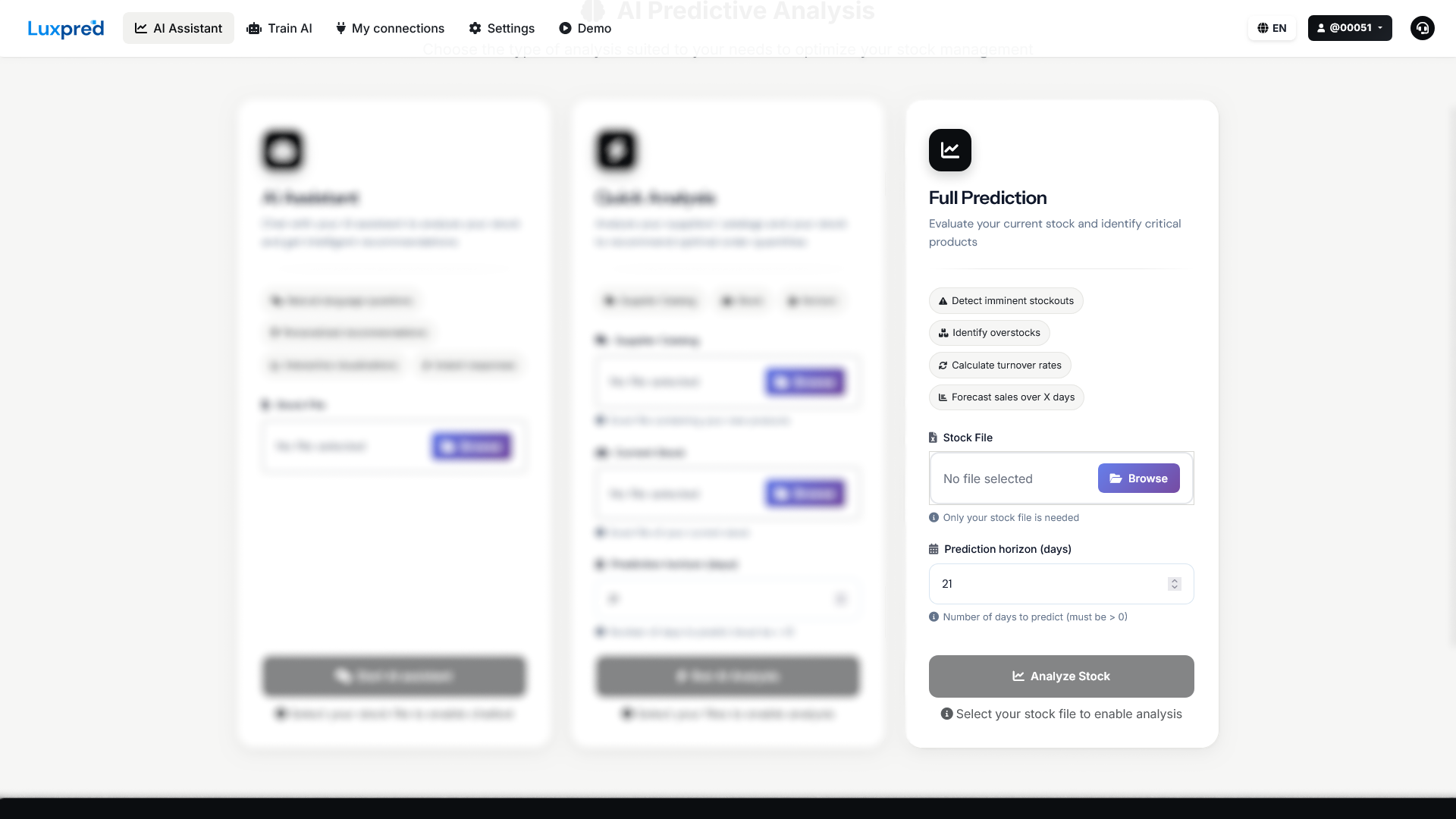
Launch Complete Prediction
Import only your stock file
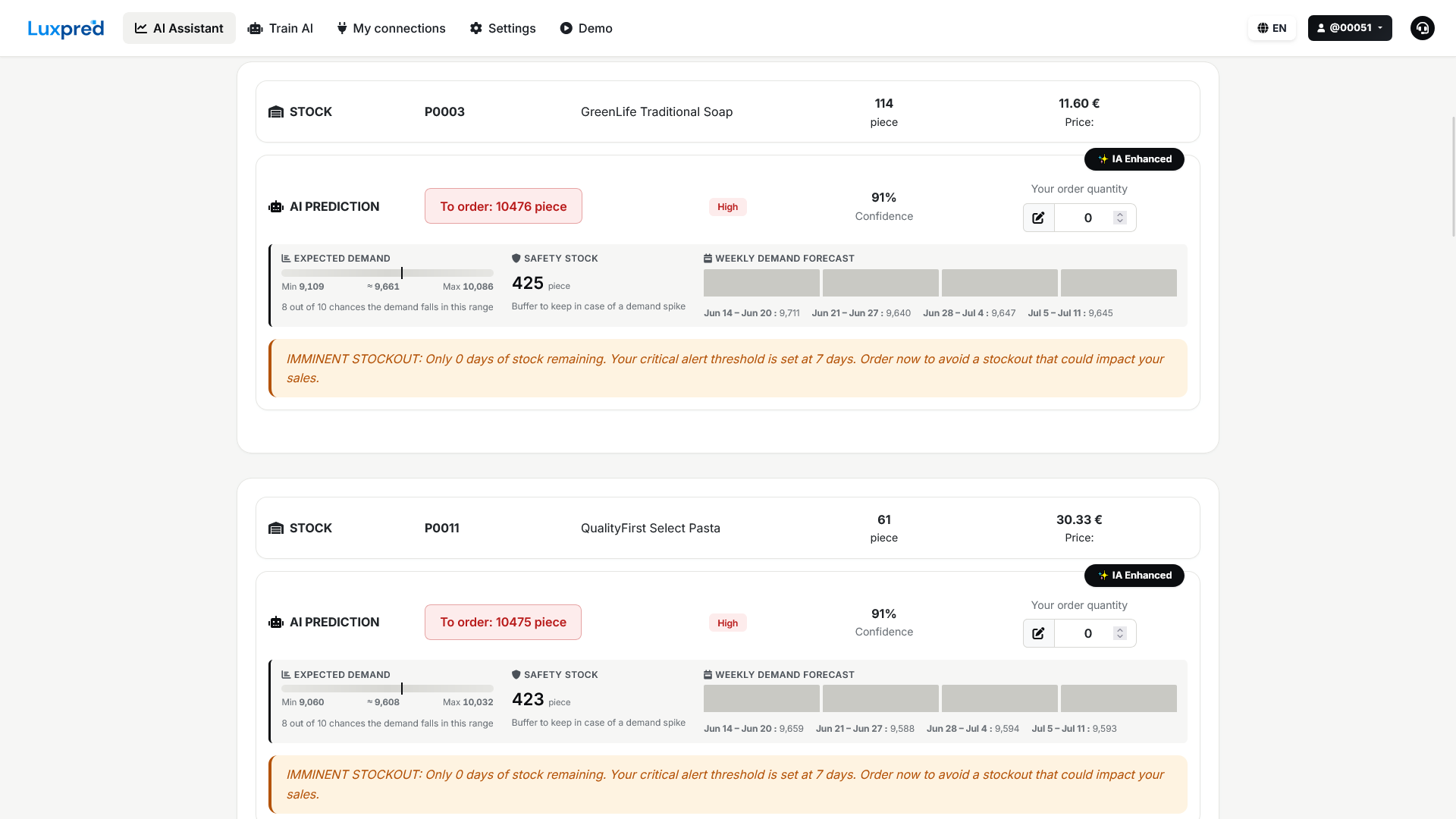
Detailed predictions
Quantities to order with AI confidence level
Ready to optimize your stock?
Start for free and discover how AI can transform your inventory management. 7-day trial, no commitment.
Free trial available